
Using Your eWIC Card
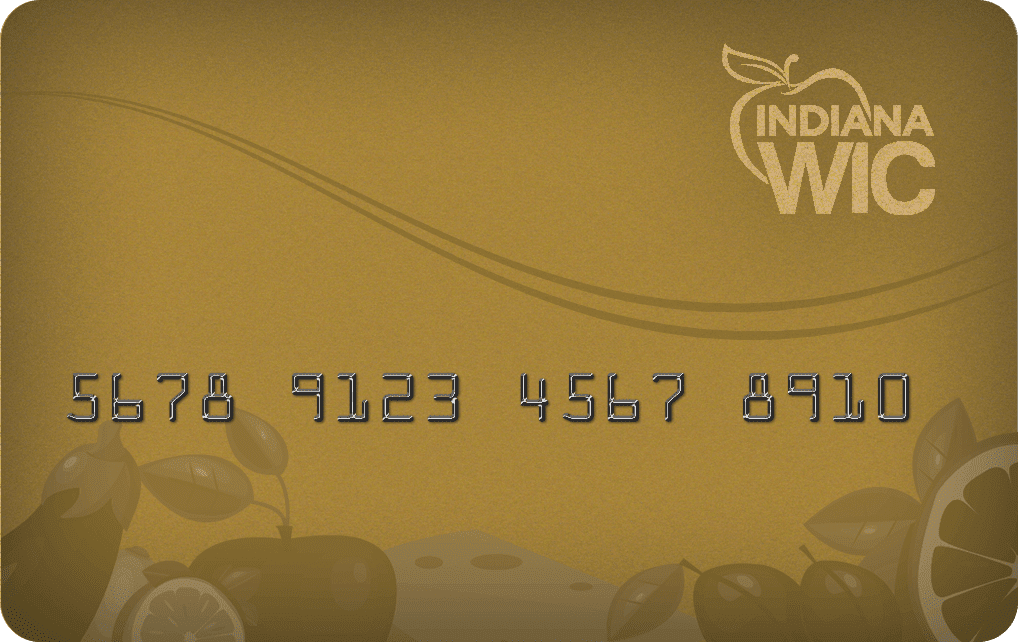
Your household’s WIC benefits will be credited to your WIC account. You will use your Indiana eWIC Card to purchase your benefits at stores included on the list of vendors given to you by your WIC clinic.
The eWIC card will make shopping easier.
The following steps describe the general process for completing a WIC transaction and may differ slightly from store to store.
Shop
With your eWIC card, current benefit balance and Indiana WIC Approved Food Card, select the food items you need.

Checkout
When you are done shopping, choose a checkout lane that accepts WIC.
Some stores require you to separate WIC items from other purchases. Ask if this is needed.
Tell the cashier that you are using an Indiana eWIC Card.
The cashier scans items to confirm they are WIC-approved and can be purchased that day.

Pay
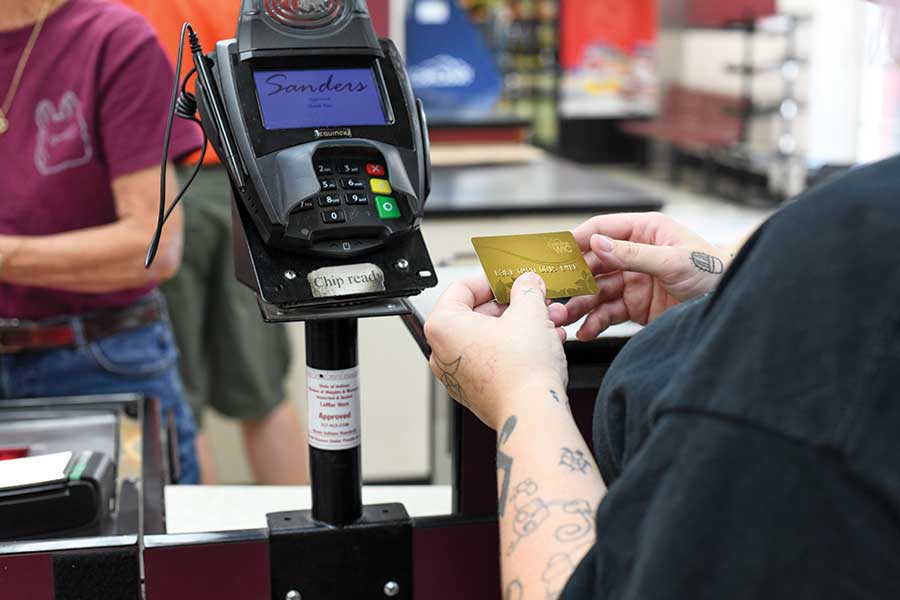
You or the cashier swipes the eWIC card.
Enter your four-digit PIN.
The cashier gives you a receipt. Make sure you leave with your card and receipt.

What if the store’s WIC equipment is not working?
What if one of my food items is not accepted?
- The item may not be included in your list of foods issued.
- You may have already used the issued amount of that item.
- The item may not be an approved food on the Indiana WIC Food Card.
- The product’s barcode may have changed or become unrecognized by the program’s system.
About Your eWIC Card
PIN stands for Personal Identification Number. It is a four-digit secret code that allows you to use your eWIC card. You will select your PIN when you activate your eWIC card.
Selecting a PIN #
How do I get my PIN?
You will select your four-digit PIN when you first get your eWIC card. To activate your card and select a PIN, call Customer Service at 1-855-349-1454. You will need to know the 16-digit eWIC card number, the street zip code, and date of birth of the Authorized Representative.
How do I choose my PIN?
Choose a PIN that is easy for you to remember, but hard for someone else to guess.
Keep It Safe
How do I keep my PIN safe?
If someone knows your PIN, they can use your card to get your benefits, and those benefits will not be replaced. When entering your PIN, be sure no one else can see the number you are entering. Don’t write your PIN on your eWIC card, and do not keep it written down in your wallet or purse.
What if I forget my PIN or need to reset it?
If you forget your PIN, call the Customer Service number located on the back of your eWIC card to choose a new PIN. You will need to know the street zip code and date of birth of the Authorized Representative.
What do I do if someone finds out my PIN?
Change the PIN.
Error
What if I enter the wrong PIN at the store?
If you enter the wrong PIN, you will have three more chances to enter it correctly. After four incorrect PIN entries, the card becomes locked until 12:01 AM Eastern Standard Time the next day. You may call Customer Service at 1-855-349-1454 at any time to unlock the card and reset the PIN.
What do the following error messages mean?
- Card Not Found: contact your clinic
- Invalid PIN: you may have entered the wrong PIN; try again if you know the correct number
- Benefits Expired: you no longer have benefits
Take Care of Your eWIC Card
What if I move or change my address?
Contact your clinic if you move or change your address to update the primary cardholder’s zip code. This will be used as an identification when making changes on your account.
What if I lose/damage my eWIC card?
If you lose or damage your eWIC card, call Customer Service at 1-855-349-1454 or the clinic to cancel your card. Then contact your clinic to be issued a new card.
How do I take care of my eWIC card?
Keep your card safe and clean.
Keep the black strip on the back free from scratches.
DO NOT throw it away if all of the benefits have been used. The same card is used every month.
DO NOT bend, fold or twist it, punch holes, or use it to scrape windshields or open door locks.
DO NOT store it near magnets or electrical equipment like mobile phones.
DO NOT leave it in the sun or other hot places like the dashboard of your car.
Managing Your Benefits 

Know Your Benefits
How do I get WIC benefits on the account?
You get your WIC benefits on your Indiana eWIC card during your WIC clinic visit. You will receive a list of your household’s WIC benefits for the current benefit month and for future benefit months. It shows the start and end dates for the benefit months.
Is my eWIC card reusable?
Do my WIC benefits expire?
Shopping
Know Your Balance Before You Head to The Store
What if I want to buy non-WIC items while I’m shopping?
Procedures may vary by store, but generally you will want to use your eWIC card first to pay for foods covered by WIC benefits. Then you can use other forms of payment such as SNAP benefits, gift cards, debit card, cash, or checks to pay for other items.
Do I have to redeem all the WIC benefits at once?
No, WIC benefits may be redeemed as needed as long as benefits are available.
What if I need someone else to do my WIC shopping for me?
Questions
Questions About Customer Service
Contact by website
What is the Cardholder Website?
The Cardholder Website is for the primary cardholder to view benefit and transaction information specific to their WIC account. You will also be able to sign up for email or text notifications about your benefits and access information about the WIC program and using your eWIC card.
The Cardholder Website is:
Select Indiana WIC from the dropdown menu in the Cardholders section.
Contact by phone
What is the Customer Service telephone number?
This number is also located on the back of your Indiana eWIC Card.
You can call this number, free of charge, 24 hours a day, 7 days a week.
Examples of when to call Customer Service:
- If your eWIC card is lost or stolen.
- If your eWIC card is damaged or will not work.
- If someone is using your eWIC card without your approval.
- If you need to know your WIC benefit balance and do not have a list from the clinic or last store receipt.
- If you forget your PIN or would like to reset your PIN.
- If you have questions or need help with your eWIC card.
What information do I need to access my WIC account information when calling Customer Service or the cardholder website?
- Name
- Date of birth
- Street zip code of the Authorized Representative
Contact your WIC clinic if you have questions about:
- Current food benefits
- Formula benefits
- Changing benefits
- Replacing your eWIC card
What can I do if I have other questions about my INWIC app?
Read the “App Reference Guide”:
This institution is an equal opportunity provider.